
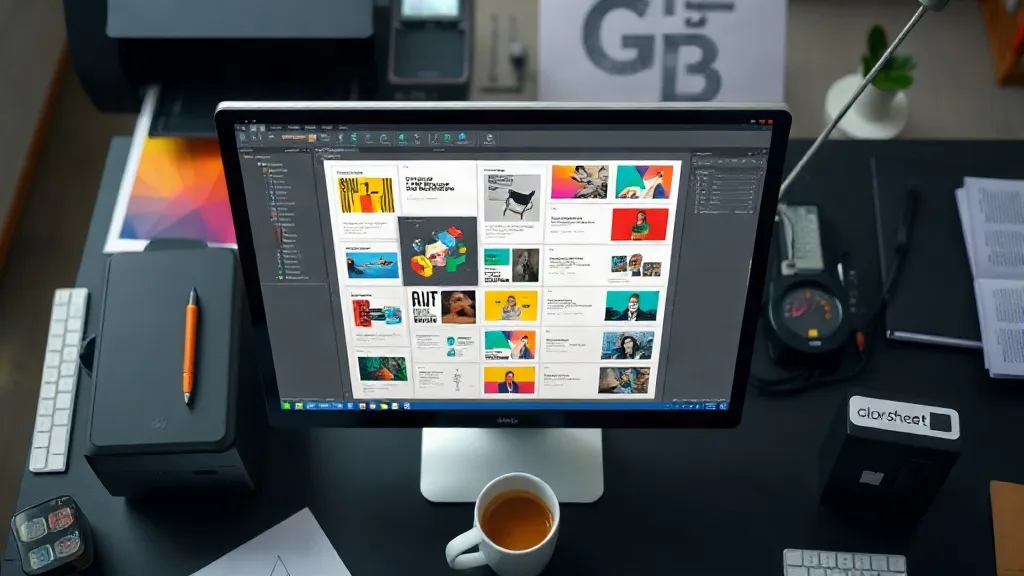
Every print shop owner knows the sting of wasted material. You load a roll of DTF film, print a batch of transfers, and then watch as unused areas get tossed in the trash. Those empty spaces are not just annoying; they are eating into your profit margins. The solution? Smart nesting on a DTF Gangsheet. By arranging multiple designs efficiently on a single sheet, you can dramatically reduce waste and increase your bottom line. In this guide, we will explore how smart nesting works, why it matters, and how you can implement it in your shop today.
What Is Smart Nesting on a DTF Gangsheet?
Smart nesting is the process of arranging multiple print jobs on a single DTF Gangsheet in the most efficient way possible. Instead of printing each design individually, you combine them into one large sheet, filling gaps with smaller jobs. The goal is to use as much of the film as possible, minimizing unused space. This is not just about cramming designs together; it is about strategic placement to reduce waste and save money.
When done right, smart nesting can reduce film waste by up to 30% or more. That might not sound like much, but over hundreds of sheets, it adds up to significant savings. Plus, it speeds up production because you are handling fewer sheets overall.
Why Smart Nesting Matters for Your Bottom Line
DTF printing involves costs for film, ink, and powder. Film is often the biggest expense, especially if you are not using it efficiently. Every square inch of unused film is money down the drain. Smart nesting ensures you get the most out of every roll.
Consider this: a typical DTF Gangsheet might have 20% empty space. If you print 100 sheets a month, that is equivalent to 20 sheets wasted. At $5 per sheet, that is $100 lost every month. Smart nesting can cut that waste in half, saving you $50 monthly or $600 annually. That is money you can reinvest in your business.
Beyond cost savings, smart nesting also improves workflow. Fewer sheets mean less handling, faster cutting, and quicker turnaround times. Your customers get their orders sooner, and you can take on more jobs.
How to Implement Smart Nesting in Your Shop
Implementing smart nesting does not require expensive software or a degree in engineering. With a few simple strategies, you can start seeing results immediately.
1. Use Nesting Software
Nesting software automates the arrangement process. You upload your designs, and the software calculates the optimal layout. Many RIP software packages include nesting features. If yours does not, consider investing in a dedicated nesting tool. The time saved and waste reduced quickly justify the cost.
2. Group Similar Jobs
If you have multiple small orders, group them together on one sheet. For example, if you have five customers each ordering 10 shirts with different designs, combine all 50 designs into one gangsheet. This not only saves film but also streamlines production.
3. Rotate and Flip Designs
Sometimes rotating a design 90 degrees allows it to fit into a tight space. Do not be afraid to experiment with orientation. Nesting software can do this automatically, but manual adjustments can sometimes yield better results.
4. Fill Gaps with Small Items
Always keep a list of small, frequently ordered designs (like logos or pocket prints) that can fill gaps. When nesting larger jobs, slot these small items into leftover spaces. This maximizes film usage without extra effort.
5. Consider the Grain Direction
DTF film has a grain direction that affects how it feeds through the printer. While nesting, ensure designs are aligned with the grain to avoid jams or misprints. Most software handles this automatically, but it is worth double-checking.
6. Test and Iterate
Start with a few sheets and measure your waste. Adjust your nesting strategy based on results. What works for one shop might not work for another. Continuous improvement is key.
Real-World Example: How One Shop Saved Big
Take the case of a small print shop in Texas. They were printing about 200 DTF Gangsheets per month, with an average of 25% waste. After implementing smart nesting using their RIP software's nesting feature, they reduced waste to 15%. That 10% reduction saved them 20 sheets per month, or $100. Over a year, that is $1,200 in savings. They used that money to upgrade their powder shaker, further improving quality.
They also noticed a 15% increase in production speed because they could fit more designs per sheet, reducing the number of sheets handled. This allowed them to take on more orders without hiring extra staff.
Common Mistakes to Avoid
While smart nesting is powerful, avoid these pitfalls:
- Overcrowding: Leaving too little space between designs can cause cutting errors or ink bleeding. Maintain at least 0.25 inches between designs.
- Ignoring design orientation: Some designs must be printed in a specific orientation for the final product to look right. Always check before rotating.
- Forgetting about cut marks: Ensure your nesting includes cut marks or registration marks for easy cutting.
- Not updating software: Nesting algorithms improve over time. Keep your software updated for best results.
Frequently Asked Questions
What is the ideal spacing between designs on a DTF Gangsheet?
A minimum of 0.25 inches (6.35 mm) is recommended to allow for cutting and to prevent ink from different designs from bleeding into each other. For intricate designs, increase to 0.5 inches.
Can I nest different fabric types on the same sheet?
Yes, but be mindful of the ink and powder settings. Different fabrics may require different ink limits or powder application. It is best to group similar fabrics together to maintain consistency.
How much can I realistically save with smart nesting?
Savings vary based on your current waste percentage and order mix. Most shops see a 10-30% reduction in film waste. The more varied your designs, the greater the potential savings.
Do I need special software for smart nesting?
While manual nesting is possible, nesting software automates the process and often yields better results. Many RIP software packages include nesting features. If yours does not, consider investing in a dedicated nesting tool.
Is smart nesting worth the effort for a small shop?
Absolutely. Even small shops can benefit from reduced waste and faster production. The time investment is minimal, and the savings add up quickly.
Take Action Today
Smart nesting is not just a buzzword; it is a practical strategy that can transform your DTF printing operation. By implementing the tips above, you can cut waste, save money, and increase efficiency. Start by analyzing your current waste, then try nesting a few sheets manually or with software. Measure the results and adjust. Your bottom line will thank you.
Remember, every square inch of film counts. Make it count for your business.